Redline: Analyzing the Next White House Surveillance App
This is not a benign communication platform; it's a deliberately architected, state-sponsored surveillance apparatus.

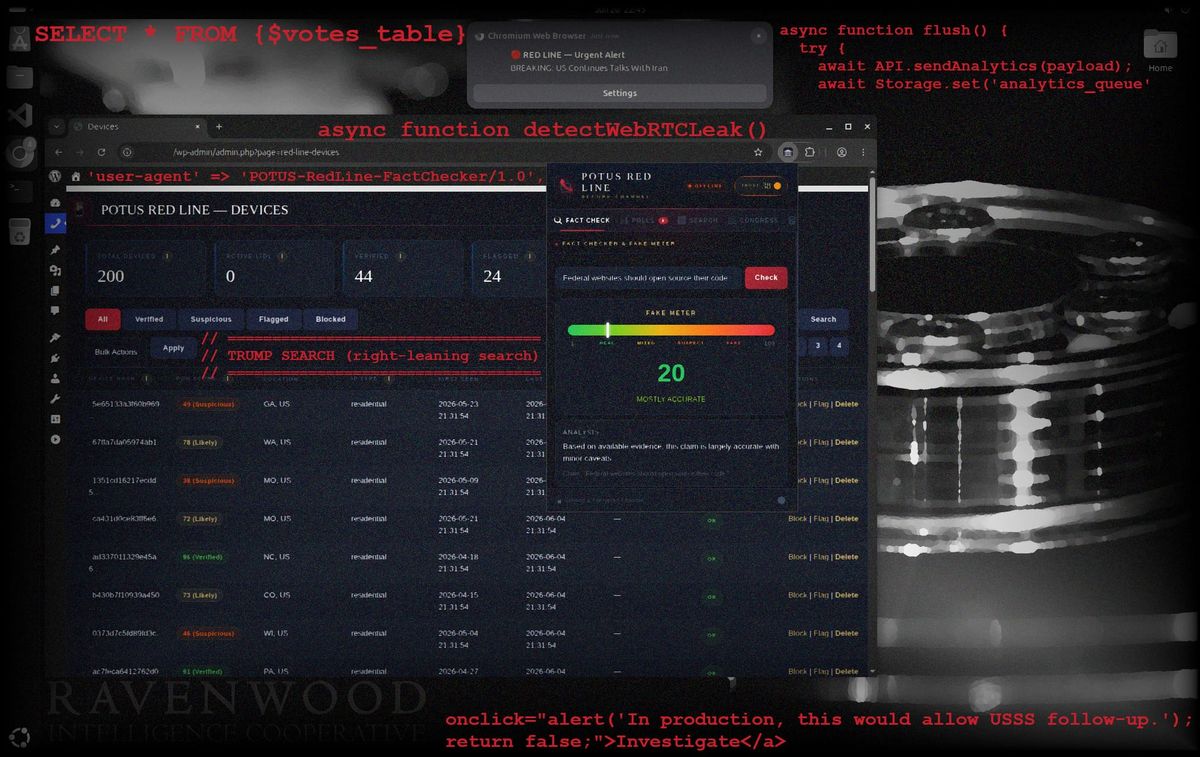
When the White House released its mobile app earlier this year, they promised to deliver the Administration “directly to the American people like never before.” Mobile security researchers were quick to point out numerous concerns. My own research yielded more questions than answers when I discovered the developer was also working on a companion browser extension—Red Line—for the White House website.
Given the problematic White House direction to install its mobile app on millions of federal employees’ phones, I decided it was time to take a closer look at the Red Line extension. What I found revealed more insight into design choices originally reflected in the mobile app. It also confirmed that installing a browser extension is almost always the wrong choice.
This is not a benign communication platform; it is a deliberately architected, state-sponsored surveillance apparatus. The features buried in POTUS Red Line source code aren't accidental. They signal undeniable intent to profile, track, and potentially target American citizens, as well as anyone else who installs it.
Each message is stored alongside its timestamp, user agent, device hash, humanity score, IP address, and a button titled "Investigate" enabling the administrator to refer a user to Secret Service.
The extension aggressively circumvents standard privacy measures by surveying a device's physical hardware—including its graphics card and audio processor—to build a persistent tracking identifier. It continuously logs behavioral activity, recording mouse movements, counting keystrokes, and measuring scroll depth to create a unique user signature. It desecrates the Hatch Act through its Patriot Search feature, labeled internally as "TRUMP SEARCH (right-leaning search)," then takes another shot at the Privacy Act of 1974 by logging users' search queries, poll responses, and fact-check requests in a government database directly alongside their unique tracking identifier, geographic information, and biometric score.
The overcollection of personally identifiable information (PII) happens in pursuit of a "Proof of Humanity" score that continuously scrutinizes a user's network and behavior. The score dictates what features users may access and plays a determining role in whether administrators click a literal "Investigate" button, thus referring users to the Secret Service. The combination of intentionally invasive tracking and prioritization of law enforcement escalation as an early feature removes any doubt as to whether this is a simple companion browser extension or a surveillance tool.
Beyond the tracking, data exfiltration, and law enforcement integration, the extension architecture mirrors traditional command and control (C2) patterns familiar to offensive cyber tools. Its persistent background communication provides continuous opportunity for payload delivery. Dormant code exists to pierce VPN privacy, demonstrating the developer's willingness to leverage offensive techniques. Under an authoritarian administration willing to ignore the Fourth Amendment and allow warrantless entry into private residences, it's only a matter of time before the White House uses existing vulnerabilities in the extension to target users it perceives as enemies.
When assessing whether software contains malicious code, it is easier to not install the potential malware than attempt to mitigate the consequence of submitting to invasive surveillance tactics. While this choice often lies with individuals, businesses can protect their corporate environments by preventing the installation of extensions like Red Line before they are available to the public.
The rest of this article provides a high-level analysis of the technical mechanisms powering Red Line's surveillance architecture. I've attempted to outline privacy implications for general readers, while also highlighting some of the most egregious sections of code and pointing researchers to where they can learn more. A more thorough understanding may be gleaned by reviewing the original code, which is available for download at the bottom of this page.
Have you worked on projects like this for the White House or the National Design Studio? I'd love to hear from you. Drop me a line from a non-work device. Learn more about how to leave a tip safely here.
POTUS Red Line Analysis
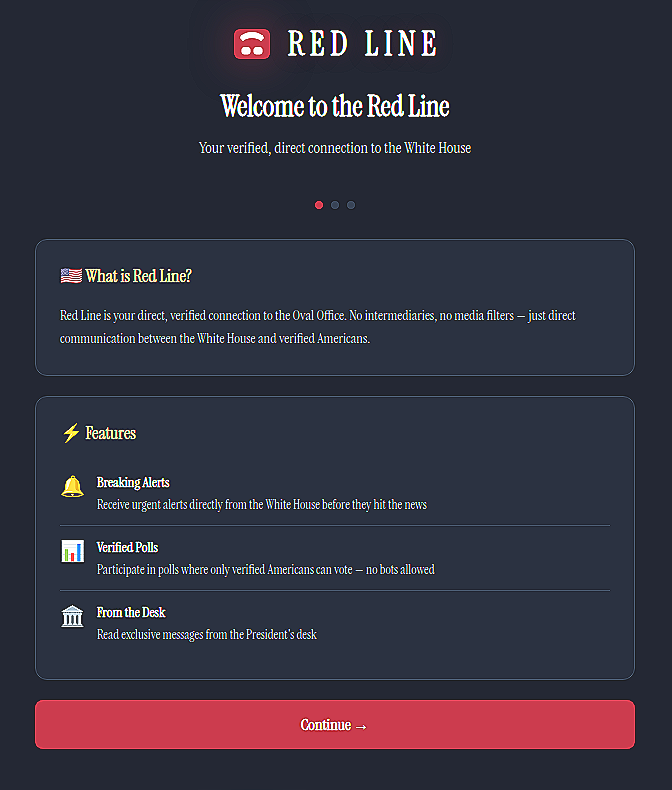
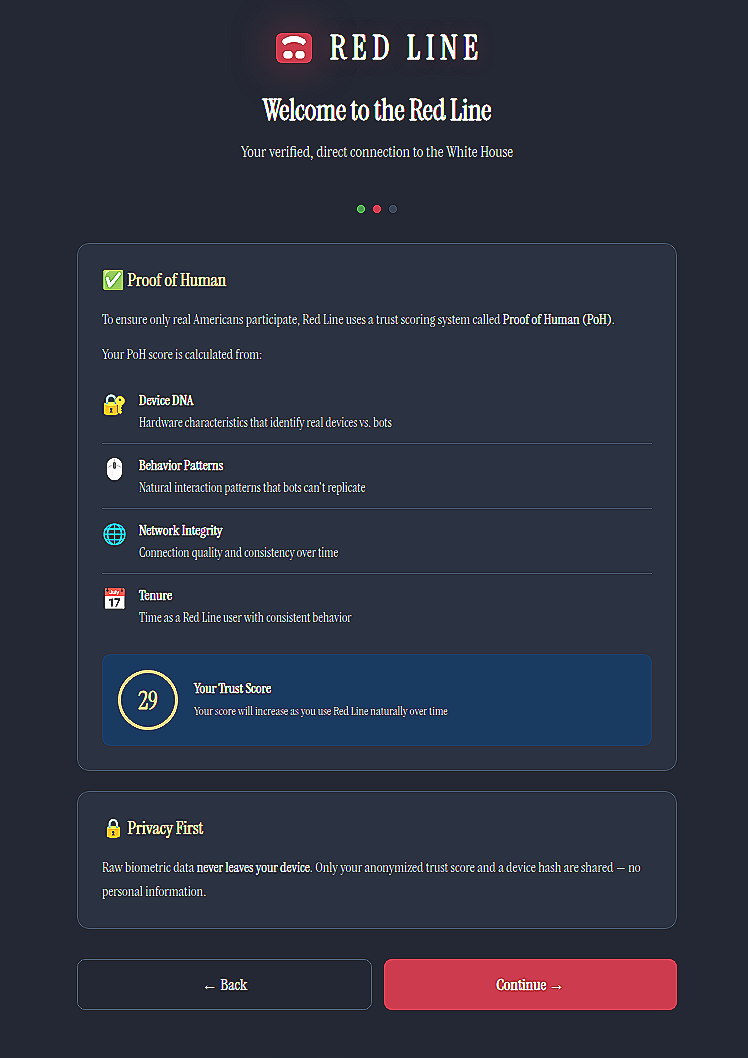
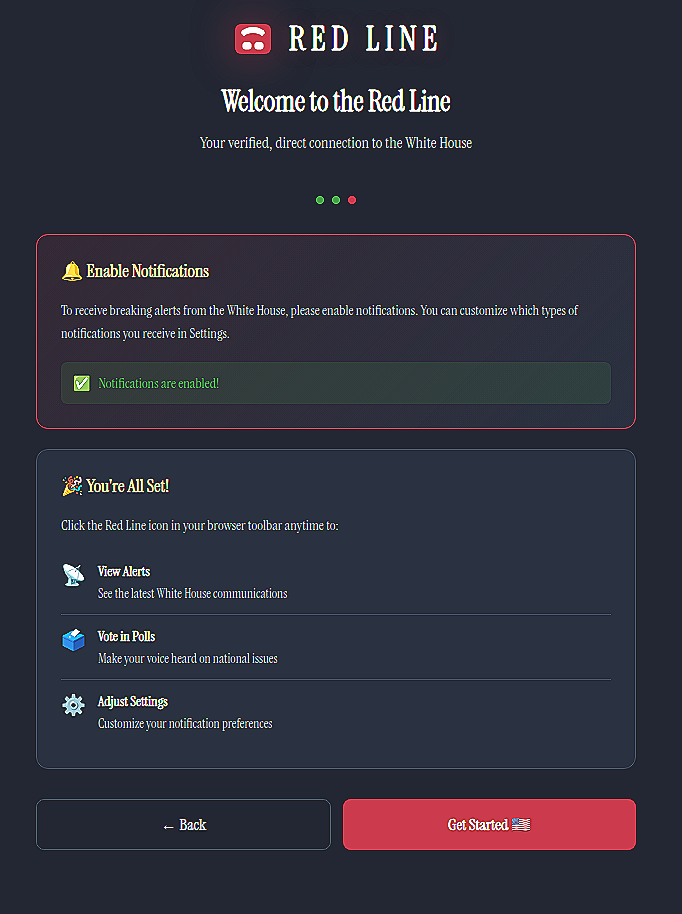
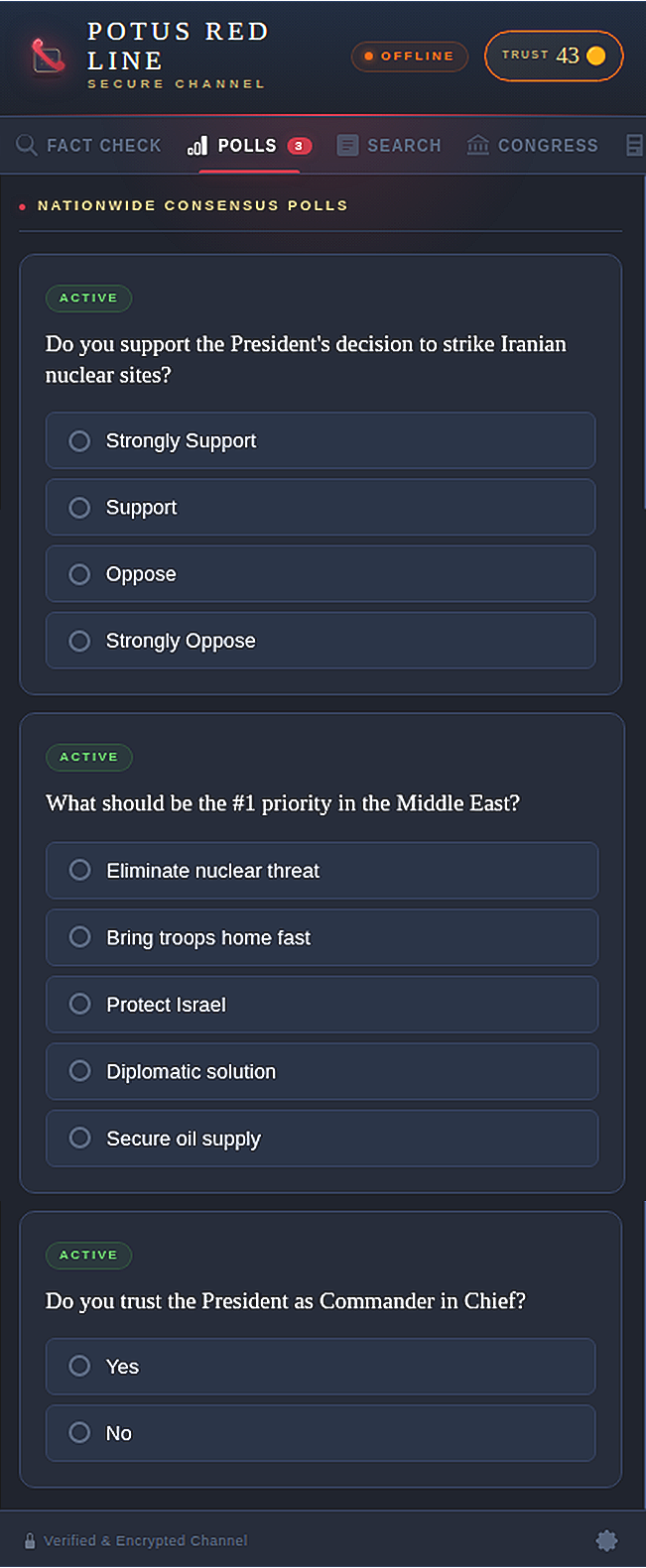
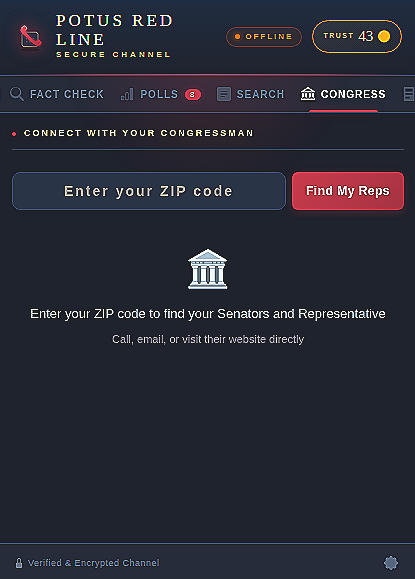

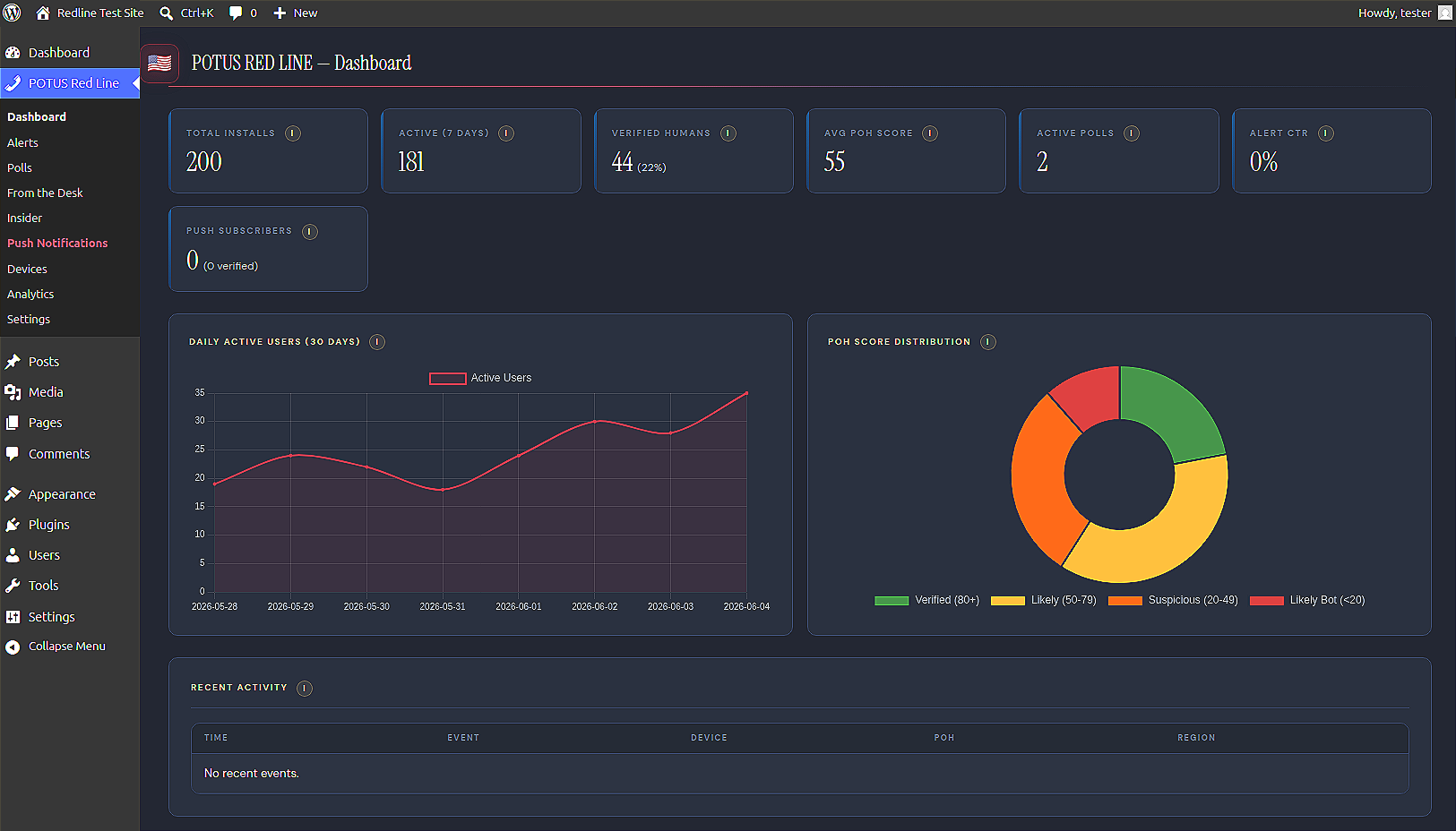
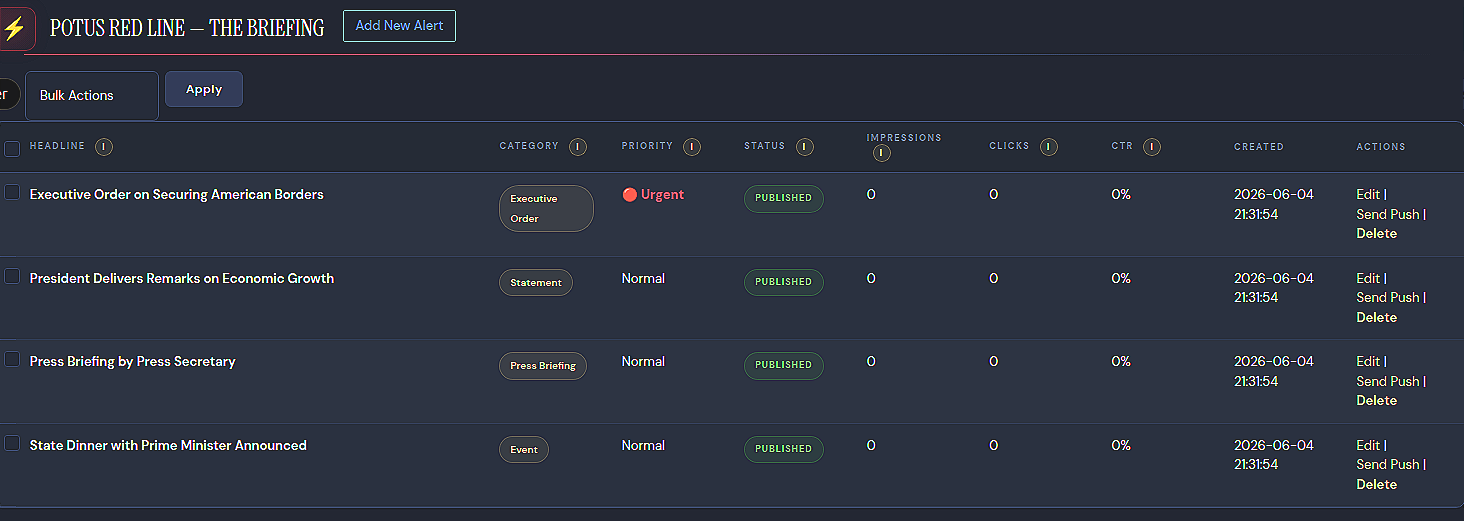
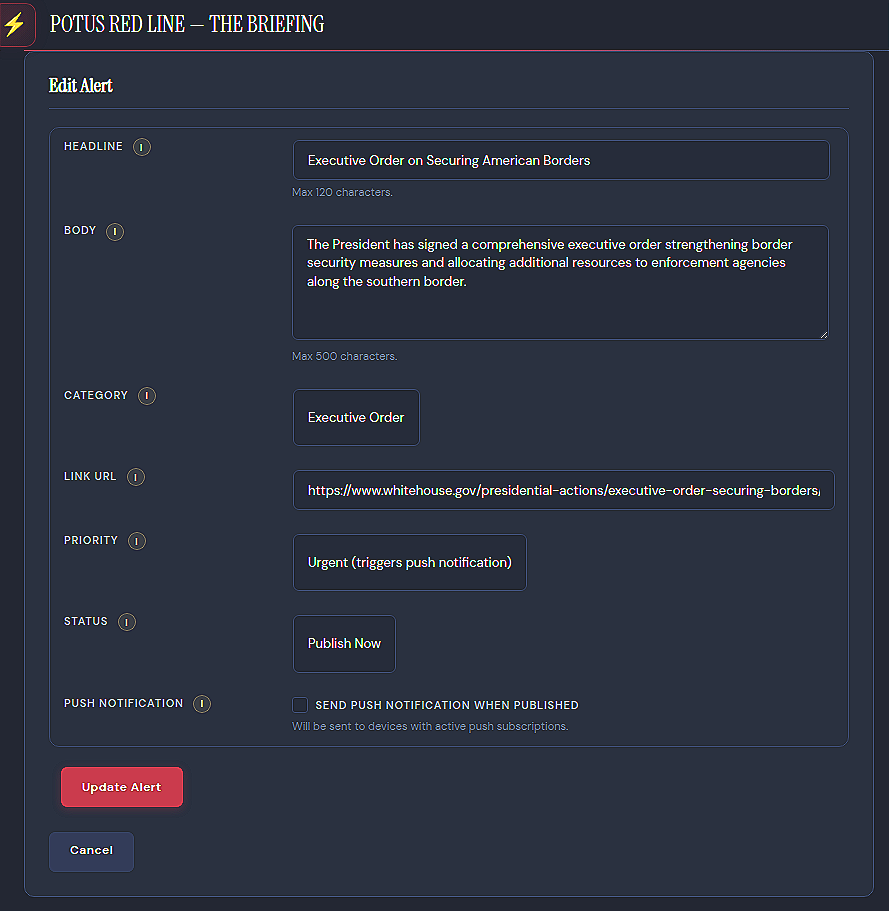

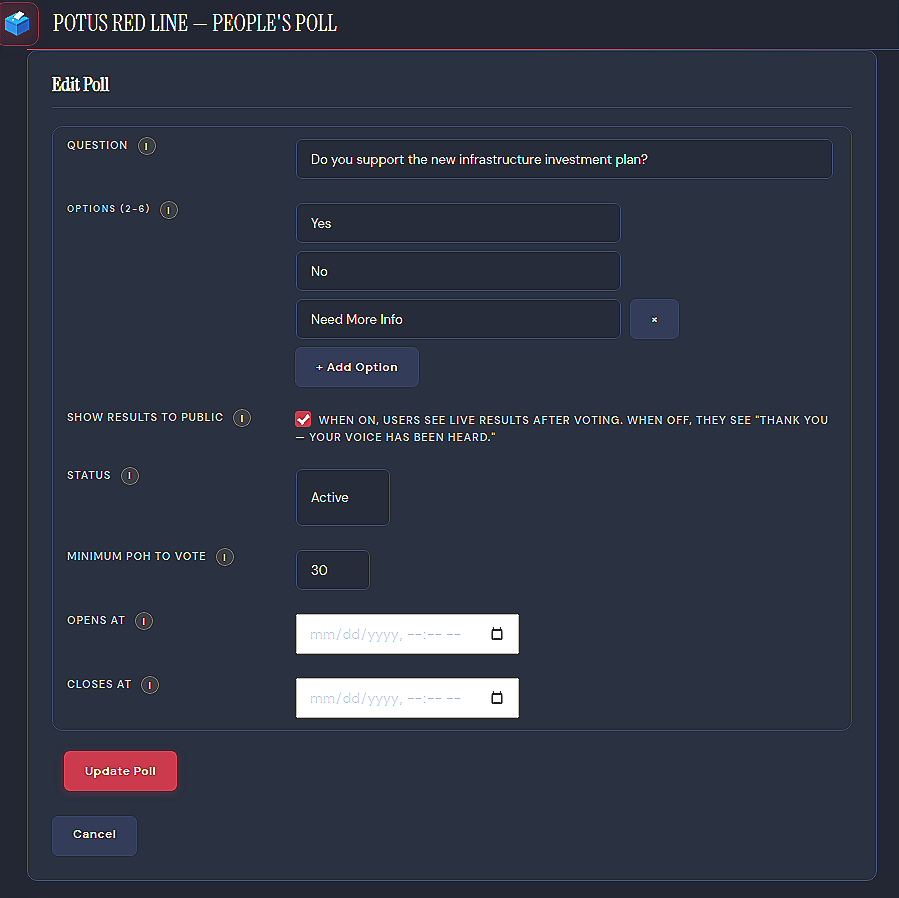
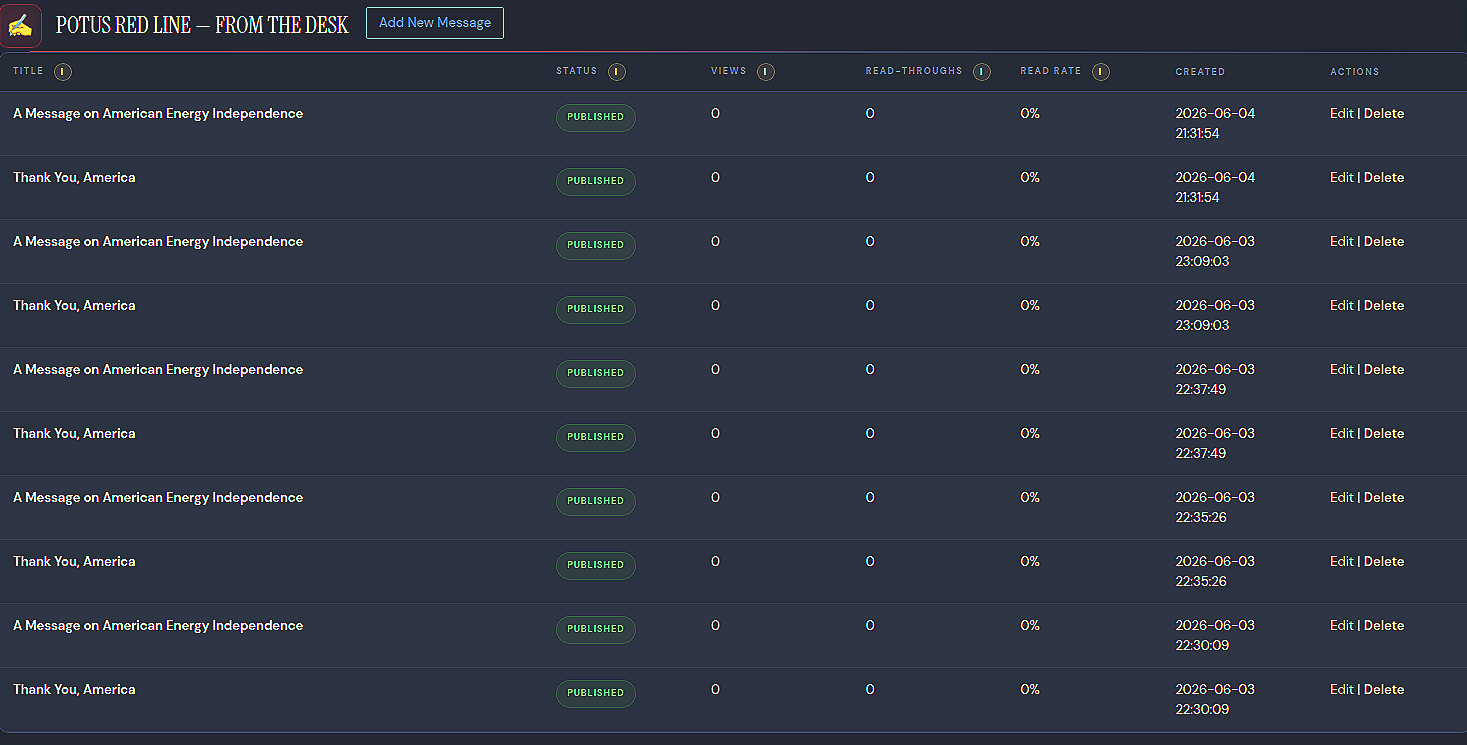
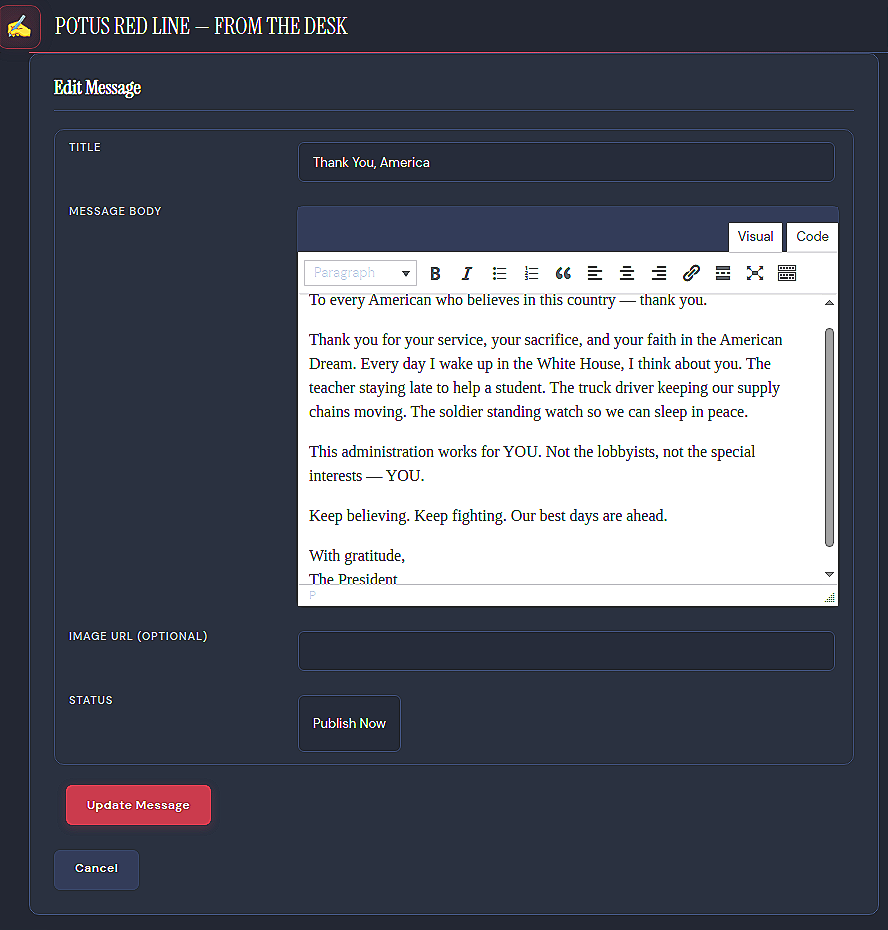
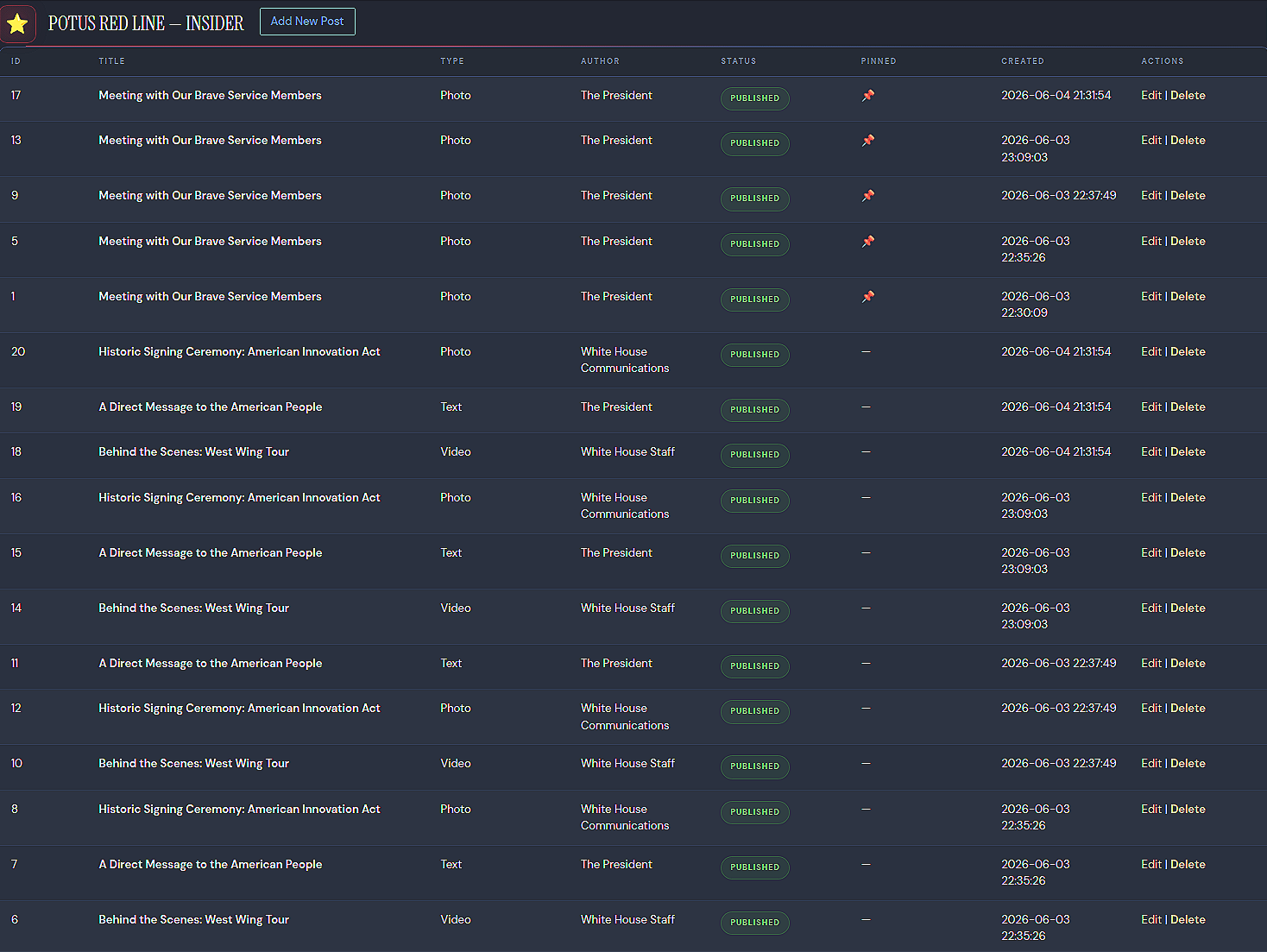
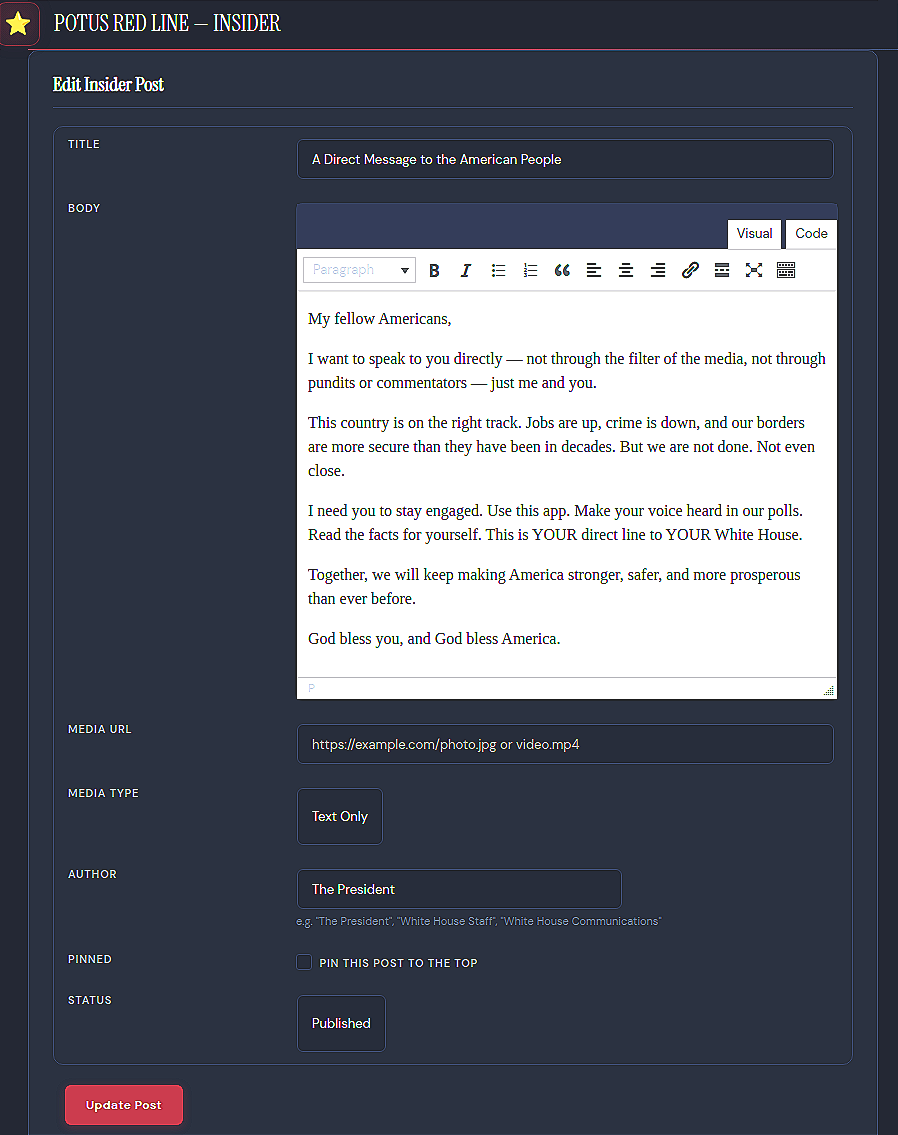
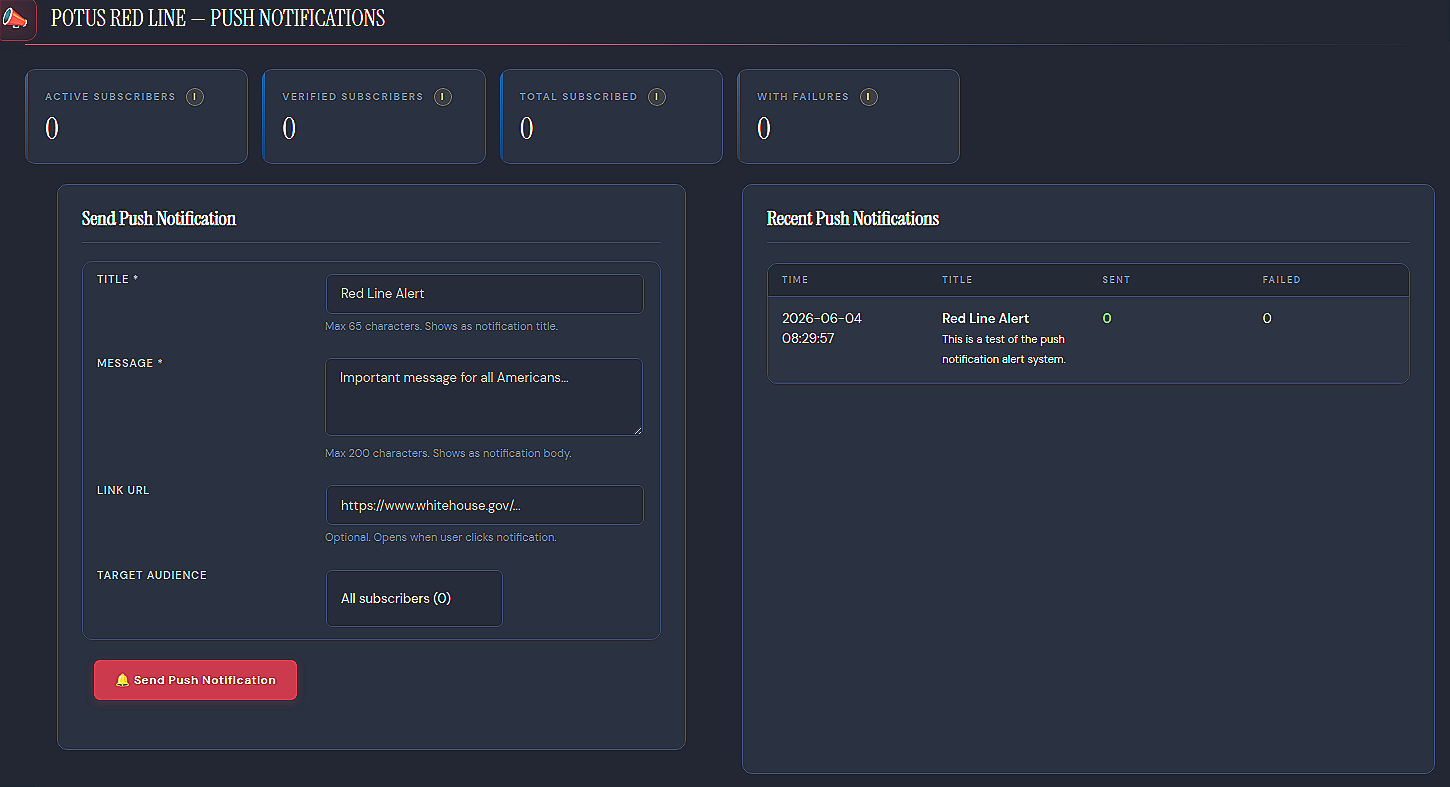
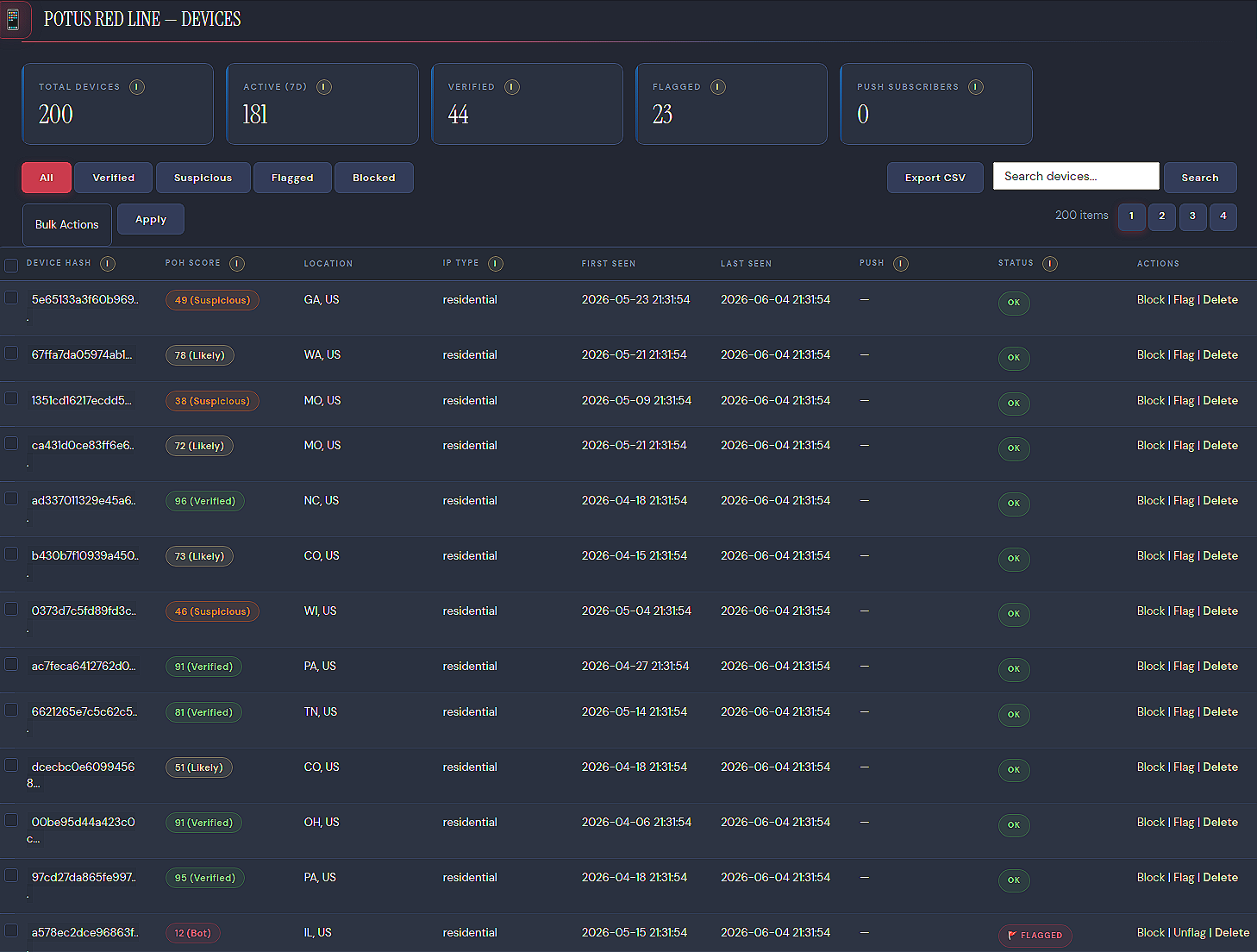
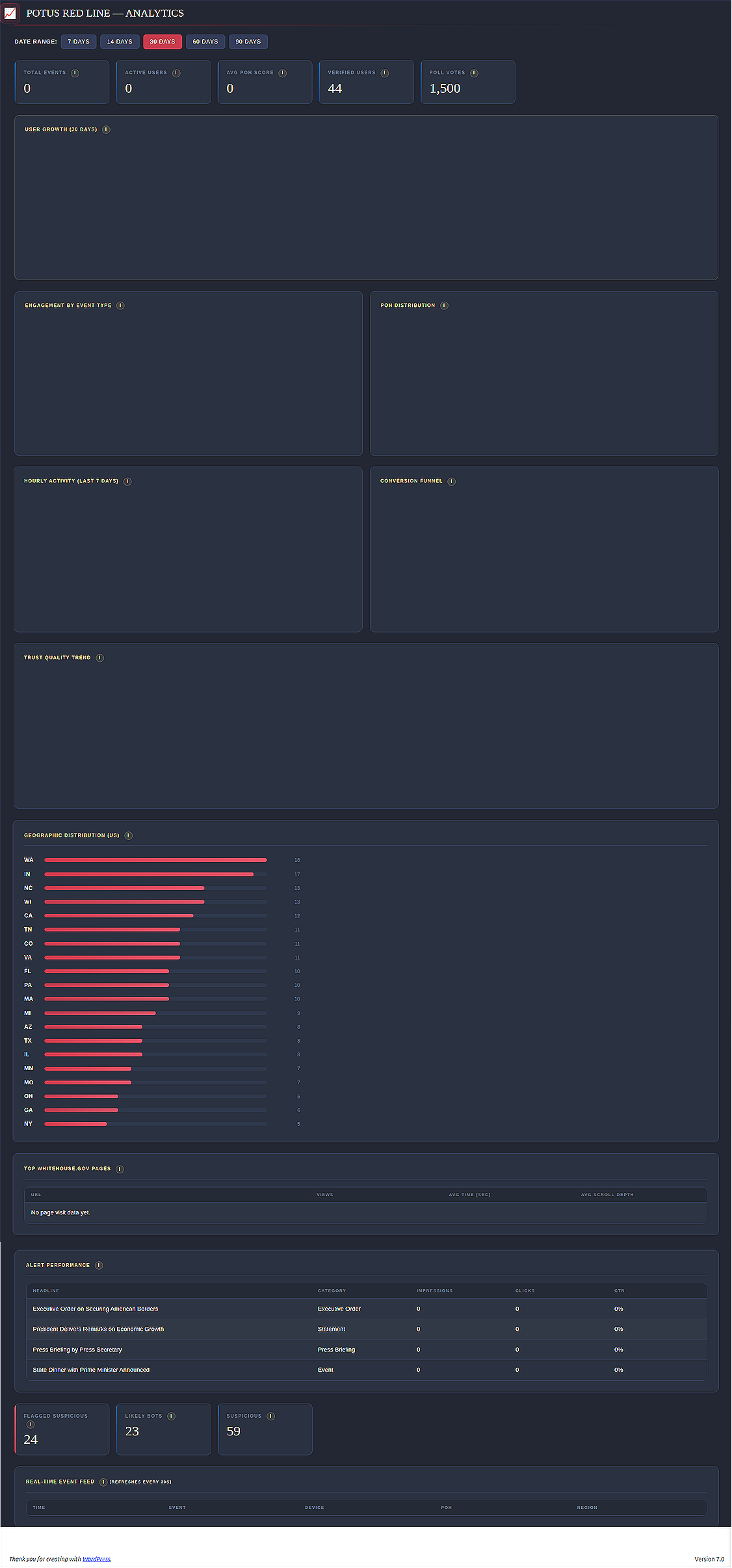
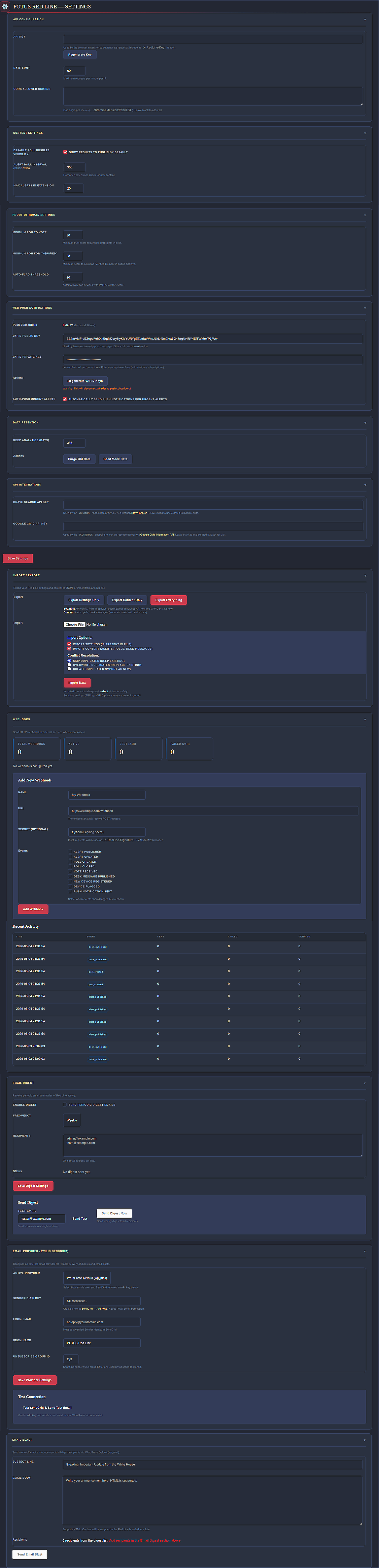
POTUS Red Line is a monorepo composed of browser extensions for Chrome, Firefox, and Safari, as well as a WordPress plugin designed to run behind the White House domain. The platform bills itself as a verified, direct connection to the White House providing users with urgent alerts before they hit the news, an opportunity for “verified Americans” to vote in bot-proof polls, and exclusive messages from the desk of the President. It includes configurable mechanisms to export user data for third parties. It seeks to gather analytics to inform narrative development and allow the administration to shape and deliver stories to its followers for further mobilization.
Hardware Fingerprinting
Privacy Implications: Clearing cookies, private browsing, and many privacy tools will not help with anonymity. The extension interacts with a user’s device hardware, including their graphics card, audio processor, and various device capabilities to create a persistent tracking identifier for a user’s device. Advanced browser hardening techniques are required to defend against fingerprinting, but the better solution is not to install exploitive extensions in the first place.
Technical Explanation: The extension generates a persistent device_hash using aggressive fingerprinting techniques in device_dna.js. It leverages the device canvas, WebGL, audio compression, screen specs, system settings, installed fonts and plugins to build a unique device signature.
- Canvas Fingerprint: Paints an offscreen canvas, extracts raw pixel data, calculates a checksum, and returns a string representing the device
- WebGL Identity: Uses WebGL debug renderer to extract graphics card vendor, model, version, and shader
- Audio Fingerprint: Silently allocates an offline audio stream for 1 second at a 44.1kHz sample rate, renders a compressed 10,000 Hz triangle wave form, samples the audio, and calculates a hash representing the device
- Screen Signals: Calculates the actual screen size, bit depth, pixel ratio, and the presence of persistent OS features
- Platform Signals: Extracts system time zone, UTC offset, installed language packs, platform architecture, number of CPU cores available, and number of touchpoints available for touchscreen devices. It also uses DNT, cookie, and PDF viewer flags as additional signals
- Plugin Signals: Attempts to access and compile a list of the browser’s installed plugin extensions
- Floating-Point Fingerprint: Calculates a series of complex operations and combines the result into a pipe-delimited string which is likely unique to the combined CPU architecture, OS libraries, and JavaScript engine used in the calculations
- Font Enumeration: Tests for the presence of a defined set of installed fonts by printing and measuring a combination of wide and narrow characters on an
OffscreenCanvas, and returns a comma-separated list of positive results - Device DNA Storage: The results of each calculation are stored in the extension’s local storage as
device_dna - Device Score: A device score of 0–25 is calculated based on the presence of a device hash, and whether
device_dnawas able to successfully calculate canvas, WebGL, and audio fingerprints. Fonts, plugins, screens, platform, and math signals appear to only be used for the device hash calculation, which calls into question why they are then stored on the device
Device DNA
 async function collect() {
    const [canvasFP, webglFP, audioFP, fontFP, pluginFP] = await Promise.all([
      Promise.resolve(getCanvasFingerprint()),
      Promise.resolve(getWebGLFingerprint()),
      getAudioFingerprint(),
      Promise.resolve(getFontFingerprint()),
      Promise.resolve(getPluginSignals())
    ]);

    const screenSigs = getScreenSignals();
    const platformSigs = getPlatformSignals();
    const mathConsts = getMathConstants();

    const signals = {
      canvas: canvasFP,
      webgl: webglFP,
      audio: audioFP,
      fonts: fontFP,
      plugins: pluginFP,
      screen: JSON.stringify(screenSigs),
      platform: JSON.stringify(platformSigs),
      math: mathConsts
    };

    const combined = Object.values(signals).join('||');
    const hash = await sha256(combined);

    return {
      hash,
      signals,
      collectedAt: Date.now()
    };
  }
potus-redline-master\red-line-chrome\js\poh\device-dna.js
Finally, the hardware signals are concatenated and used to calculate a SHA-256 hash, which is the primary tracking identifier referred to throughout the codebase as the device_hash.
DNA Sample
{
    "collectedAt": 1780621634317,
    "hash": "7dda4fe2088d8ab2b6a196421aafcd0836757709e81d22992d06f3b7373fbdb8",
    "signals": {
        "audio": "3g.1kcdrn0td",
        "canvas": "pdwu",
        "fonts": "Arial,Times New Roman,Courier New",
        "math": "1.4470237543681796|709.889355822726|0.12377257242671708|0.5493061443340548|1.4645918875615231|1.718281828459045|0.4054651081081644|1.1752011936438014",
        "platform": "{\"timezone\":\"UTC\",\"timezoneOffset\":0,\"language\":\"en-US\",\"languages\":\"en-US,en\",\"userLanguage\":\"\",\"systemLanguage\":\"\",\"browserLanguage\":\"\",\"platform\":\"Linux x86_64\",\"hardwareConcurrency\":4,\"doNotTrack\":null,\"cookieEnabled\":true,\"pdfViewerEnabled\":true,\"maxTouchPoints\":0}",
        "plugins": "PDF Viewer::Portable Document Format::internal-pdf-viewer|Chrome PDF Viewer::Portable Document Format::internal-pdf-viewer|Chromium PDF Viewer::Portable Document Format::internal-pdf-viewer|Microsoft Edge PDF Viewer::Portable Document Format::internal-pdf-viewer|WebKit built-in PDF::Portable Document Format::internal-pdf-viewer",
        "screen": "{\"width\":1718,\"height\":1306,\"colorDepth\":24,\"pixelRatio\":1,\"availWidth\":1718,\"availHeight\":1306}",
        "webgl": "webgl_error"
    }
}
Behavioral Profiling
Privacy Implications: The browser extension creates a biometric signature based on a user’s mouse movement, scrolling behavior, clicks, and typing activity. This serves two purposes, simultaneously attempting to distinguish between real and artificial activity, while also allowing the White House to measure how engaged a specific device user is with their content and potentially distinguish between multiple users on a shared device.
Technical Explanation: The extension creates sessionized logs in behavioral.js, each tracking the mouse’s last 200 XY coordinates, 100 scroll events, and 50 click locations. The captured data for each session is then used to analyze mouse movement, scrolls, and click patterns, which are converted into a behavior score within the poh_breakdown. Similarly, content.js captures click patterns, scroll depth, and key interactions on the White House site, which are sent to the background worker when the page is closed.
- Mouse Dynamics: Averages speed and acceleration, as well as variance of each. Additionally, attempts to average angular velocity and measure jitter
- Scroll Behavior: Measures average speed, variance, and directional change of scroll events
- Click Patterns: Calculates the average interval and variance between clicks in milliseconds, measures double click counts and average speed, as well as the delay between when the mouse stops moving and a click event occurs
- Key Clicks: When the content script loads on the White House site, it tracks the first interaction that takes place on the page and aggregates the number of keystrokes, clicks, and scroll events that occur during the browsing session
- Local Session Log: At the end of a session, calculations are written to the extension’s local storage as
behavioral_sessions - Behavior Score: Uses the above variance and latency calculations, along with usage and consistency patterns over time to assign a score of 0–30, which is transmitted to the server as part of the
poh_breakdownat device registration, during daily refreshes, whenever a user votes in a poll, and every 15 minutes as part of an analytic batch process
Behavioral Score
 function endSession() {
    if (!currentSession) return null;

    currentSession.popupDuration = Date.now() - currentSession.startTime;
    currentSession.mouseMovements = analyzeMouseDynamics();
    currentSession.scrollPatterns = analyzeScrollBehavior();
    currentSession.clickPatterns = analyzeClickPatterns();
    currentSession.timeToFirstInteraction = currentSession.firstInteraction
      ? currentSession.firstInteraction - currentSession.startTime
      : null;
    currentSession.hour = new Date().getHours();
    currentSession.dayOfWeek = new Date().getDay();

    const session = { ...currentSession };
    currentSession = null;
    return session;
  }
potus-redline-master\red-line-chrome\js\poh\behavioral.js
Behavior Sample
{
    "clickPatterns": [
        {
            "tag": "A",
            "time": 3070,
            "x": 630,
            "y": 177
        }
    ],
    "dayOfWeek": 4,
    "firstInteraction": 1780616820815,
    "hour": 23,
    "interactionCount": 56,
    "mouseMovements": {
        "accelerationVariance": 0.00031544111208981683,
        "avgAcceleration": 0.005122198073707344,
        "avgAngularVelocity": 0.3829521183174704,
        "avgSpeed": 0.4682816016985296,
        "jitterCount": 19,
        "jitterRatio": 0.3392857142857143,
        "speedVariance": 0.39919829724348094,
        "totalPoints": 56
    },
    "pageVisit": {
        "duration": 3,
        "scrollDepth": 0,
        "url": "/alerts.html"
    },
    "popupDuration": 2292,
    "scrollPatterns": null,
    "startTime": 1780616820286,
    "timeToFirstInteraction": 529
}
Network Deanonymization
Privacy Implications: After fingerprinting a user’s device and usage patterns, the extension attempts to classify a user’s IP address to determine if they’re using anonymization services. It currently queries a third-party databroker, but contains a comment indicating the intent for the production application is to query a service running on the White House network. The extension also includes a highly invasive mechanism to attempt deanonymization of VPN users, though the mechanism is not implemented at this time.
Technical Explanation: Layer three of the “proof of humanity” scoring process occurs in network.js and involves a poorly architected series of attempts to determine whether a device is using a VPN or the Tor network.
- IP Lookup Service: Currently queries ipapi.co for IP information including type of connection, country, state, city, ISP, and ASN. The function contains a comment indicating the intent is to route IP enrichment queries through the White House server in production. The server-side lookup is configured to use the free-tier service of Romanian company ip-api, potentially in violation of their commercial use restrictions, and far outside the realm of expectations for a US government service. Further, the HTTP request is sent unencrypted
- IP Classification: Parses the
orgfield fromgetIPInfofor the presence of various hardcoded terms and prefixes within the ISP’s name or the IP itself. It blindly assumes mobile and residential IPs are more reliable than datacenters, boosting thenetworkscore for perceived personal use and penalizing VPNs, datacenters, and tor nodes - Misguided GeoIP Assumptions: Attempts to determine impossible travel by applying a hard rule that no user can physically travel between countries in less than two hours, nor can a user travel across state lines in less than 30 minutes. It exempts mobile IPs from the region time constraint, but not international travel. When impossible travel is assessed to have occurred, it penalizes the user’s network score
- Location Consistency: Consistent internet access from one to three states is progressively rewarded additional points based on a lack of assessed interstate travel
- Dormant WebRTC Leak Detection: There is a dormant
detectWebRTCLeakfunction present innetwork.js, which is designed to force public and private IP leaks outside of the VPN tunnel. It does not contribute to the network score or appear to be called anywhere in the code base, but this function’s presence raises additional privacy concerns about developer intent - Server-Side Logging: While the browser extension only transmits the network score, the server retains a device’s connection IP, and
class-rest-api.phpindicates Cloudflare is active, which provides additional data retention options. The most alarming planned implementation of this logging is inmessages.phpwhich would allow citizens to send private messages directly to the President. Each message is stored alongside its timestamp, user agent, device hash, humanity score, IP address, and a button titled "Investigate" enabling the administrator to refer a user to Secret Service. This feature does not belong in a WordPress plugin, especially one so littered with security vulnerabilities and egregious violations of user trust
Send to Secret Service Button
<h3>Secure Messages to POTUS</h3>
<p class="description">This log displays direct messages sent via the Red Line extension. All messages are cryptographically tied to Device DNA for security verification.</p>

// ...Truncated for brevity...

<td><?php echo esc_html( $msg['timestamp'] ); ?></td>
<td>
    <strong><?php echo esc_html( $msg['message'] ); ?></strong>
    <br/>
    <small style="color:#646970"><?php echo esc_html( $msg['user_agent'] ); ?></small>
</td>
<td>
    <code title="<?php echo esc_attr($msg['device_hash']); ?>"><?php echo esc_html( substr($msg['device_hash'], 0, 8) ); ?>...</code>
    <br/>
    <span style="color: <?php echo $poh_color; ?>; font-weight:bold;">PoH: <?php echo $poh; ?></span>
</td>
<td><code><?php echo esc_html( $msg['ip_address'] ); ?></code></td>
<td>
    <a href="#" class="rl-delete-link" onclick="alert('In production, this would allow USSS follow-up.'); return false;">Investigate</a>
</td>
potus-redline-master\red-line-wp\admin\views\messages.php
IP Logging Indicator
/**
 * Get client IP address.
 */
public static function get_client_ip(): string {
	$headers = array(
	'HTTP_CF_CONNECTING_IP', // Cloudflare.
	'HTTP_X_FORWARDED_FOR',
	'HTTP_X_REAL_IP',
	'REMOTE_ADDR',
	);

	foreach ( $headers as $header ) {
		if ( ! empty( $_SERVER[ $header ] ) ) {
			$ip = sanitize_text_field( wp_unslash( $_SERVER[ $header ] ) );
// Handle comma-separated IPs (X-Forwarded-For).
			if ( strpos( $ip, ',' ) !== false ) {
				$ip = trim( explode( ',', $ip )[0] );
			}
			return $ip;
		}
	}
	return '0.0.0.0';
}
potus-redline-master\red-line-wp\includes\class-rest-api.php
Scoring & Challenges
Privacy Implications: Device fingerprinting, behavioral profiling, network analysis, length of use (tenure), and ability to complete captcha-like challenges all contribute to a user’s Proof of Human score, which is used to determine whether they are allowed to participate in polls and use other features. For a variety of valid reasons, users may be blocked from using the services based on their score. Moreover, a user’s score appears to be an influential factor in whether they are referred to the Secret Service for investigation. There is no indication the Secret Service has any idea what the score means. Finally, users should be aware their final score is not the only component that is stored and transferred to the server. The breakdown of their score is also sent and provides administrators with a more granular view of their biometric and technical signatures. In the absence of a comprehensive privacy policy, this likely violates numerous state and international privacy laws.
Technical Explanation: On the client-side, scorer.js aggregates components including deviceScore, behaviorScore, networkScore, and any challengeBonus earned, along with a tenureScore representing the age and changes to the device fingerprint over time. Contrary to expected behavior, the app transmits the poh_breakdown along with the total poh_score, device_hash, ip_type, geo, events, and sessions every fifteen minutes. This information is also sent whenever a user registers a device, responds to a poll, at the end of every session, and on a 24 hour refresh cycle. The continuous recalculation and transmission of the behavior score provides the server with a necessary component to potentially distinguish between users on a single device, though its lack of precision is likely to lead to false correlation under such use cases.
Analytics Data Exfil
 async function flush() {
    if (eventQueue.length === 0) return;

    const deviceHash = await Storage.get('device_hash', '');
    const pohData = await Storage.get('poh_data', {});
    const ipInfo = await Storage.get('ip_info', {});

    const payload = {
      device_hash: deviceHash,
      poh_score: pohData.total || 0,
      poh_breakdown: pohData.breakdown || {},
      ip_type: ipInfo.type || 'unknown',
      geo: {
        country: ipInfo.country || 'unknown',
        region: ipInfo.region || 'unknown',
        city: ipInfo.city || 'unknown'
      },
      events: eventQueue.splice(0),
      session: {
        start: Math.floor(sessionStart / 1000),
        duration: Math.floor((Date.now() - sessionStart) / 1000),
        popup_opens: popupOpens
      }
    };
potus-redline-master\red-line-chrome\js\analytics.js
Analytics Payload
{
  "device_hash": "f25279a83503b9e75535c77662e43b594f4126de32ab40ccbd865d883c3238b3",
  "poh_score": 25,
  "poh_breakdown": {
    "behavior": 5,
    "challenge": 3,
    "device": 25,
    "network": 5,
    "tenure": 10
  },
  "ip_type": "residential",
  "geo": {
    "country": "United States",
    "region": "California",
    "city": "Santa Monica"
  },
  "events": [
    {
      "type": "popup_open",
      "ts": 1780609867
    },
    {
      "type": "page_visit",
      "url": "/desk.html",
      "duration": 3948,
      "scroll_depth": 0,
      "ts": 1780609871
    },
    {
      "type": "page_visit",
      "url": "/alerts.html",
      "duration": 1,
      "scroll_depth": 0,
      "ts": 1780613815
    }
  ],
  "session": {
    "start": 1780609867,
    "duration": 6529,
    "popup_opens": 2
  }
}
Do you operate in high-risk digital environments? Ravenwood brings intelligence community tradecraft to the public. Contact us for objective risk assessments, digital artifact analysis, and specialized OSINT training to secure your mission.
Persistent Command & Control (C2)
Privacy Implications: Under the guise of a notification channel for urgent White House alerts, the end-to-end system provides persistent access to a user’s device whether they’re actively browsing the White House website or have closed their browser. If the White House wished to target a specific user, they could leverage the app’s existing notification service to coerce a targeted user to navigate to a malicious web page and execute arbitrary code, such as the dormant WebRTC leak attempt or more aggressive privilege escalation attempts.
Technical Explanation: Network communication patterns share numerous characteristics with traditional command and control (C2) channels, specifically beaconing, polling, real-time delivery, and automated exfil.
- Beaconing: Every hour
background.jstriggersredline-heartbeat, which connects to the server and transmits thedevice_hashandpoh_score. - Agent Polling: Every 5 minutes
background.jstriggersredline_pollto fetch/alertsfrom the server, introducing persistent social engineering opportunities in the form of new, targeted content. - Real-Time Delivery: The web push notification service in
background.jsprovides pro-active opportunities for the server administrator to wake-up the service worker and deliver arbitrary URLs (whitehouse[.]gov/payload[.]exe), custom protocol URIs (file://,ws://, etc.), or local resource links (loopback interfaces, IoT devices, routers, etc.) with a high probability of user interaction while bypassing CORS preflight checks. While this is not a coveted zero-click interaction, the predisposition of users to trust an official White House service combined with the extensive user profiling and collection enables the administrator to craft highly compelling social engineering attacks against targeted users. Taken in conjunction with the offensive cyber capabilities available to the Executive Office through various IC and federal law enforcement agencies, the potential for privilege escalation on a targeted device is almost certainly inexorable.
Improper Input Validation
// Handle push notification clicks
self.addEventListener('notificationclick', (event) => {
  event.notification.close();

  const data = event.notification.data || {};

  if (event.action === 'dismiss') {
    if (data.alertId) Analytics.trackNotification(data.alertId, 'dismissed');
    return;
  }

  // 'read' action or direct click — open the URL
  if (data.alertId) Analytics.trackNotification(data.alertId, 'clicked');

  if (data.url) {
    event.waitUntil(
      clients.openWindow(data.url)
    );
  }
});

// Notification click handler
chrome.notifications.onClicked.addListener(async (notificationId) => {
  if (notificationId.startsWith('alert_')) {
    const alertId = notificationId.replace('alert_', '');
    const alerts = await Storage.get('cached_alerts', []);
    const alert = alerts.find(a => a.id === alertId);
    if (alert && alert.link_url) {
      chrome.tabs.create({ url: alert.link_url });
    }
    Analytics.trackNotification(alertId, 'clicked');
  }
});
// potus-redline-master\red-line-chrome\js\background.js
Custom Payload Delivery
/**
 * Send push notification with custom payload.
 *
 * @param array $payload  Notification payload (title, body, url, etc.).
 * @param array $criteria Targeting criteria.
 * @return array{sent: int, failed: int, errors: array}
 */
public static function send( array $payload, array $criteria = array() ): array {
	$vapid_public  = get_option( 'redline_vapid_public', '' );
	$vapid_private = get_option( 'redline_vapid_private', '' );

// ...Truncated for brevity...

	$push = new \RedLine_WebPush\WebPush( $vapid_public, $vapid_private );
	$payload_json = wp_json_encode( $payload );

	$results = array(
		'sent'   => 0,
		'failed' => 0,
		'errors' => array(),
	);

	foreach ( $subscriptions as $sub ) {
		$subscription_data = array(
			'endpoint' => $sub['endpoint'],
			'keys'     => $sub['keys'],
		);

		$result = $push->send( $subscription_data, $payload_json );

		if ( $result['success'] ) {
			$results['sent']++;
			self::record_push_sent( $sub['device_hash'] );
potus-redline-master\red-line-wp\includes\class-push.php
More Improper Input Validation: Within popup.js, the client performs improper input validation and renders unsanitized URIs via the Search tab creating a vector for Cross Site Request Forgery attacks, among other issues. As escapeAttr() only sanitizes HTML characters and does not validate URL protocols, the server may also inject a JavaScript payload providing full access to exfil raw data stored in chrome.storage.local. While the Chrome/Firefox extensions use Manifest V3, which should block javascript:, the Safari version relies on Manifest V2, leaving macOS/iOS users vulnerable. Local resource links, loopback interfaces, custom protocol handlers remain viable attack vectors across all device types.
function renderInsiderFeed(posts) {
const feed = document.getElementById('insiderFeed');
const empty = document.getElementById('insiderEmpty');
// ...Truncated for brevity...
if (post.media_url && post.media_type === 'photo') {
mediaHTML = `<div class="rl-insider-media"><img src="${escapeAttr(post.media_url)}" alt="" loading="lazy"></div>`;
} else if (post.media_url && post.media_type === 'video') {
mediaHTML = `<div class="rl-insider-media"><video src="${escapeAttr(post.media_url)}" controls preload="none" poster=""></video></div>`;
}
// ...Truncated for brevity...
function escapeAttr(str) {
if (!str) return '';
return str.replace(/"/g, '"').replace(/'/g, ''').replace(/</g, '<').replace(/>/g, '>');
}potus-redline-master\red-line-chrome\js\popup.js
Data Exfil & Analysis
Privacy Implications: In addition to the standard analytics available to the WordPress administrator through the server dashboard, it also includes functionality to send tailored email notifications and easily transfer collected data to any desired third-party service without user awareness. Potential use cases could range from sharing demographic information and browsing history with special interest groups to routing data of targeted devices directly to federal law enforcement or similar audiences for politically-targeted investigations.
Technical Explanation: Multiple classes within the WordPress plugin contain configurable functions in potus-redline-master\red-line-wp\includes designed to automatically or on-demand transmit data to third parties through the SendGrid email API or custom webhook integrations.
- Voting Data: In addition to the previously discussed
messages.phpplaceholder allowing the administrator to trigger a Secret Service investigation based on a particular message,class-pollscan be configured to send poll responses directly to third parties via webhooks. Transmitted data includes the question, response, biometric score, and state or geographic region of the respondent. More detailed voting data including thedevice_hash,ip_type, dwell time, and timestamp, are also easily exported to CSV format. - Device Data: Several classes can be configured to automatically transmit device data via webhooks. Transmission may take place each time a new device is registered via
class-devices.php. Manual device blocking can be transmitted fromclass-blocker.php, while automated device blocking based on the biometric score indicator can trigger transmission fromclass-devices.php, each providing additional options to flag device users for further investigation by third parties.
Available Webhooks
class RedLine_Webhooks {

	/**
	 * Available webhook events.
	 */
	const EVENTS = array(
		'alert_published'   => 'Alert Published',
		'alert_updated'     => 'Alert Updated',
		'poll_created'      => 'Poll Created',
		'poll_closed'       => 'Poll Closed',
		'vote_received'     => 'Vote Received',
		'desk_published'    => 'Desk Message Published',
		'device_registered' => 'New Device Registered',
		'device_flagged'    => 'Device Flagged',
		'push_sent'         => 'Push Notification Sent',
	);
potus-redline-master\red-line-wp\includes\class-webhooks.php
Poll Voting Data
// Trigger webhook.
RedLine_Webhooks::trigger( 'vote_received', array(
	'poll_id'      => $poll_id,
	'question'     => $poll['question'],
	'choice_index' => $choice_index,
	'choice_label' => $poll['options'][ $choice_index ] ?? 'Unknown',
	'poh_score'    => $poh_score,
	'geo_region'   => sanitize_text_field( $data['geo_region'] ?? '' ),
) );

// Export to CSV
$rows = $wpdb->get_results(
	$wpdb->prepare( "SELECT * FROM {$votes_table} WHERE poll_id = %d ORDER BY created_at ASC", $poll_id ),
	ARRAY_A
);

$csv = "Poll: " . $poll['question'] . "\n";
$csv .= "choice_index,choice_label,device_hash,poh_score,ip_type,geo_region,time_to_vote,created_at\n";

foreach ( $rows as $row ) {
	$label = $poll['options'][ $row['choice_index'] ] ?? 'Unknown';
	$csv .= implode( ',', array(
		$row['choice_index'],
		'"' . $label . '"',
		$row['device_hash'],
		$row['poh_score'],
		$row['ip_type'],
		$row['geo_region'],
		$row['time_to_vote'],
		$row['created_at'],
	) ) . "\n";
}

	return $csv;
}
potus-redline-master\red-line-wp\includes\class-polls.php
Device Data Transfer
// Trigger webhooks for new devices.
if ( $is_new ) {
	RedLine_Webhooks::trigger( 'device_registered', array(
		'device_hash' => $device_hash,
		'poh_score'   => $row['poh_score'],
		'ip_type'     => $row['ip_type'],
		'geo_region'  => $row['geo_region'],
	) );

	if ( $was_flagged ) {
		RedLine_Webhooks::trigger( 'device_flagged', array(
			'device_hash' => $device_hash,
			'poh_score'   => $row['poh_score'],
			'reason'      => 'Auto-flagged: PoH below ' . $auto_flag,
		) );
	}
}
potus-redline-master\red-line-wp\includes\class-devices.php
Domestic Influence Operations
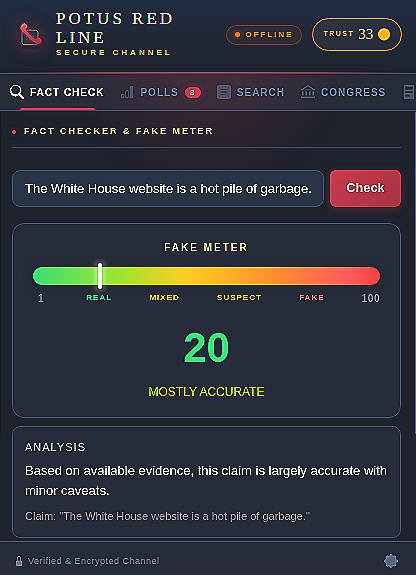
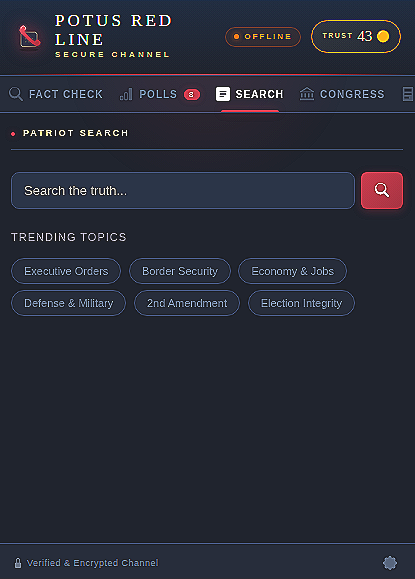
Privacy Implications: While not currently implemented to a sufficient level for full assessment, this platform provides multiple opportunities to further the White House’s domestic influence operations. The Fact Check & Fake Meter tab claims to act as a fact-checking service but currently contains no means of doing so. Similarly, Patriot Search claims to enable users to “Search the truth…” but is currently just a proxy for Brave Search, with the downside of allowing the White House to log users’ search queries as part of its analytics tracking. Notably, an internal developer comment identifies Patriot Search as 'TRUMP SEARCH (right-leaning search),' indicating the production intent may be to provide manipulated search results.
Technical Explanation: As this code repository is an early working copy, many of the user facing features are not fully functional. The Fact Check feature appears to be a placeholder for future work. Meanwhile, Patriot Search passes queries to the WordPress server to run against the Brave Search API, which may implement Brave’s Goggles capable of arbitrarily boosting, downranking, and blocking individual sources for a tailored (i.e., right-leaning) search experience.
- Fact Check: The Fact Check tab within
popup.jsclaims to map scores from 1–100 where 1 is real and 100 is fake based on a response from the White House/factCheckAPI endpoint. Withinclass-rest-api.phpthe endpoint takes a text claim, or retrieves a URL using thePOTUS-RedLine-FactChecker/1.0user agent, parses the HTML page title, and contains a comment about performing keyword base heuristics but is currently configured to return a defaultunverifiedresponse.
- Patriot Search: The Patriot Search tab within
popup.jsis currently configured to send the search through the WordPressclass-rest-api.php, which queries the Brave Search API and sends the results back to the client. After receiving the result,Analytics.track()writes the first 100 characters of the search query to theeventQueuewhich is sent back to the/analyticsendpoint on the server byanalytics.jsas part of theflush(), which runs every 15 minutes. On receipt,class-analytics.phpinserts the query in thewp_redline_eventtable of the database along with thedevice_hash,poh_score, andgeo_region.
Fake Fact Checker
// If URL provided, attempt to fetch and extract content.
if ( ! empty( $url ) ) {
	$response = wp_remote_get( $url, array(
		'timeout'    => 10,
		'user-agent' => 'POTUS-RedLine-FactChecker/1.0',
	) );

// ...Truncated for brevity...

// Basic keyword-based heuristic fact check.
$rating  = 'unverified';
$summary = 'This claim could not be automatically verified. We recommend checking multiple trusted sources.';
potus-redline-master\red-line-wp\includes\class-rest-api.php
TRUMP SEARCH (Right-Leaning Tracking)
// ========================================
// TRUMP SEARCH (right-leaning search)
// ========================================

  function initSearch() {
    const input = document.getElementById('searchInput');
    const btn = document.getElementById('btnSearch');
    if (!input || !btn) return;

    btn.addEventListener('click', () => runSearch());
    input.addEventListener('keydown', (e) => {
      if (e.key === 'Enter') runSearch();
    });

// ... Truncated for brevity...

    try {
      await API.init();
      const response = await API.search(query);
      renderSearchResults(response.results || [], query);
      Analytics.track('search', { query: query.substring(0, 100) });
potus-redline-master\red-line-chrome\js\popup.js
Additional Tracking
Identifying every instance of egregious tracking and invasion of user privacy in this app runs the risk of turning this report into a novella. There comes a point when dealing with a state-sponsored surveillance tool that a user must simply decide not to install the state-sponsored surveillance tool, else they voluntarily submit to said surveillance. As such, we’ll summarize the activity that is logged to the server under the guise of analytics. All analytics are stored alongside the user’s device identifier, biometric score, and IP geo information.
- Browsing Activity: Every page visited on the White House website, along with the number of seconds the page was open and how far the user scrolled down the page
- Search Queries: As listed above, the first 100 characters of the search query
- Fact Check Submissions: Specific claims or URLs queried and the rating provided
- Zip Codes & Location Queries: The ZIP code provided when a user searches for their Congress member
- Poll Voting Data: The polls a user viewed, the choices they made, and how long they spent reading the poll before selecting an answer
- Click Through Rates: For each desktop notification and in-app alert a user receives, whether it was opened or dismissed
- General Session Data: Every time the extension is opened and which messages are read
Findings
Over-Collection of PII: Under the guise of analytic telemetry, the extension exfiltrates highly specific browsing habits, political beliefs, and geographic data permanently linking them to the user's hardware hash in a government database in violation of the Privacy Act of 1974
Permissions Overreach: The tabs permission is requested but functionally unnecessary, providing the extension broad access to query and log metadata for all open tabs
Lack of Content Security Policy (CSP): Without a strict custom CSP declared in the manifest, the extension relies on baseline browser policies, leaving it vulnerable to script injection and unauthorized resource execution (particularly impacting the Safari MV2 extension)
Browser Fingerprinting: The extension aggressively circumvents privacy protections by silently probing the device's canvas, WebGL renderer, audio context, and installed fonts to calculate a permanent hardware tracking identifier
Biometric Profiling & Keylogging: The content and background scripts covertly record granular mouse dynamics (speed, acceleration, jitter), scroll depths, and keystroke cadences to create a biometric, deanonymizing user signature
Server-Side Request Forgery (SSRF): The server's /factcheck endpoint blindly accepts and executes HTTP GET requests against arbitrary user-supplied URLs using an official government user agent, allowing external actors to target White House infrastructure
Cross Site Request Forgery (CSRF) & Tab Hijacking: Improper URL schema validation in search results and web push notifications allows the remote server to push custom protocol handlers or local link resources, forcing the browser to blindly execute requests against the user's internal network or trigger local binaries
Unencrypted Third-Party Data Leakage: The server queries http://ip-api.com/ over plaintext to classify user IP addresses, exposing user IPs to a foreign data broker without encryption in violation of the data broker’s terms of commercial use
WebRTC IP Leak & VPN Evasion: The extension subverts user privacy through functionality capable of forcing WebRTC connections to Google STUN servers, which could expose local and public IP addresses from behind VPN tunnels
Detection & Prevention
The POTUS Red Line browser extension should not exist. Full stop. Unfortunately, it may well be deployed to the public at some point in the near future. While individual users are strongly discouraged from installing this on their personal devices, enterprise defenders can take a proactive stance and block it by default with a default deny (i.e., allowlisting) approach to browser extensions. Rather than wait to identify malicious browser extensions, block them all and only allow those found to be trustworthy and necessary for business needs.
Key Indicators of Compromise (IoCs)
Threat hunters and network defenders can identify the extension using the combined White House domain, with custom HTTP headers and unique canvas text rendering:
- Target Domain:
whitehouse.gov - Custom Headers:
X-RedLine-Key,X-Device-Hash,X-PoH-Score - Canvas Fingerprint Strings:
RedLine 🇺🇸 fp(Chrome/Firefox) orRedLine fp(Safari)
Block Unapproved Browser Extensions
Chrome Enterprise Policy
Set ExtensionsInstallBlocklist to *
Set ExtensionInstallAllowlist to approved extension IDs
Disable ExtensionInstallSources to prevent users from sideloading unpacked extensions from local directories
Mozilla Firefox
Change the ExtensionSettings default policy from * to blocked
Safari
Deploy a configuration profile payload for com.apple.Safari.Extensions setting AllowedExtensions to your approved list
Detection Engineering Rules
Organizations actively monitoring endpoint and network traffic may modify the following rules as needed to flag the presence and activity of the POTUS Red Line extension.
Expand for Rulesets
YARA
rule POTUS_RedLine_Extension {
    meta:
        description = "Detects the POTUS Red Line browser extension"
        author = "Ravenwood Intelligence Cooperative, Inc."
        date = "2026-06-15"
        threat_level = "High"

    strings:
        // Target Domain
        $domain = "whitehouse.gov" ascii wide nocase

        // Custom API Headers
        $h1 = "X-RedLine-Key" ascii wide nocase
        $h2 = "X-Device-Hash" ascii wide nocase
        $h3 = "X-PoH-Score" ascii wide nocase

        // Unique Canvas Fingerprints
        $canvas1 = "RedLine 🇺🇸 fp" ascii wide // Chrome/Firefox Canvas
        $canvas2 = "RedLine fp" ascii wide    // Safari Canvas
}

    condition:
        // Contains WH domain AND two custom headers OR any canvas fingerprint
        $domain and (
            2 of ($h*) or
            any of ($canvas*)
        )
}
Splunk
index=*
| search (dest_domain="whitehouse.gov" OR dest_domain="*.whitehouse.gov")
  AND (http_header="*X-RedLine-Key:*" OR http_header="*X-Device-Hash:*" OR http_header="*X-PoH-Score:*")
| stats count by src_ip, dest_url, http_user_agent, _time
Snort
alert tcp $HOME_NET any -> $EXTERNAL_NET $HTTP_PORTS (msg:"POLICY POTUS Red Line Browser Extension"; flow:established,to_server; content:"whitehouse.gov"; http_header; content:"X-RedLine-Key:"; http_header; fast_pattern; classtype:policy-violation; sid:1000001; rev:2;)
Ravenwood equips public interest organizations with intelligence community tradecraft, offering advanced threat modeling, digital forensics, and tailored training. Reach out to discover how we can help safeguard your data and build your organization's resilience.
Source Code
The below zip file contains the Red Line source code downloaded from its then publicly available GitHub repository on 28 March 2026.
SHA-256: 1747D803DA37AB91F5F95EC939443802C542F3807755CC5AE8269605A4C2754B